35mm x 45mm 비자 사진 만들기
온라인
선명한 정면 사진을 올리고 35x45mm 크기와 단색 배경을 선택한 뒤 검토 가능한 비자 사진을 다운로드하세요.
Crop a portrait to the 35 x 45 mm photo ratio
Use white, light grey, or light blue background options
Download a single PNG/JPG or a PDF print layout
Review pixel, inch, and print notes before submitting
35mm x 45mm 비자 사진 만들기
선명한 정면 사진을 올리고 35x45mm 크기와 단색 배경을 선택한 뒤 검토 가능한 비자 사진을 다운로드하세요.
Upload Your Portrait
Choose a recent front-facing photo with your full face visible.
Supported: JPG, PNG, WEBP, HEIC
or drag a portrait here
Uploaded portrait
35x45mm 비자 사진 프리셋 선택
일반적인 비자 및 신분증 용도로 35x45mm 옵션이 선택되어 있습니다. 공식 체크리스트에 다른 정확한 크기가 있을 때만 사용자 지정 크기를 사용하세요.

35x45mm Visa Photo
35 mm wide x 45 mm high

35x45mm Passport Photo
Common UK, Europe, Japan size

Chinese Visa Photo
33x48mm reference
2x2 Inch Photo
US passport and visa style
Size and Background Settings
Keep 35x45mm selected for this page, or enter a custom size when a form lists a different width and height.
Enter exact millimeter dimensions if your checklist is not 35 x 45 mm.
Allowed range: width 20-80mm, height 20-90mm. PDF output uses the selected physical size.
You have 0 credits remaining Sign in to use the 35x45 visa photo maker
2 credits per generated 35x45 visa photo
35x45 비자 사진 결과
35x45 비자 사진 미리보기가 여기에 표시됩니다
인물 사진을 업로드하고 35x45mm 크기를 유지하세요.
35x45 비자 사진 준비 중
This usually takes 30-60 seconds.
Analyzing photo...
Tips Before You Generate
- Use a recent photo with even lighting and a neutral expression.
- Face the camera directly and keep both eyes open.
- Avoid heavy shadows, filters, hats, uniforms, and tinted glasses unless officially allowed.
- Confirm the latest official visa checklist before upload or printing.
35 x 45 mm 사진 크기, 픽셀 및 인쇄 참고
The physical size is 35 millimeters wide and 45 millimeters high. Pixel dimensions depend on the DPI requested by your upload portal or print workflow.
Physical Size
35 mm x 45 mm
Use this when a visa, passport, residence permit, or ID form asks for a 35 x 45 mm photo.
Aspect Ratio
7:9
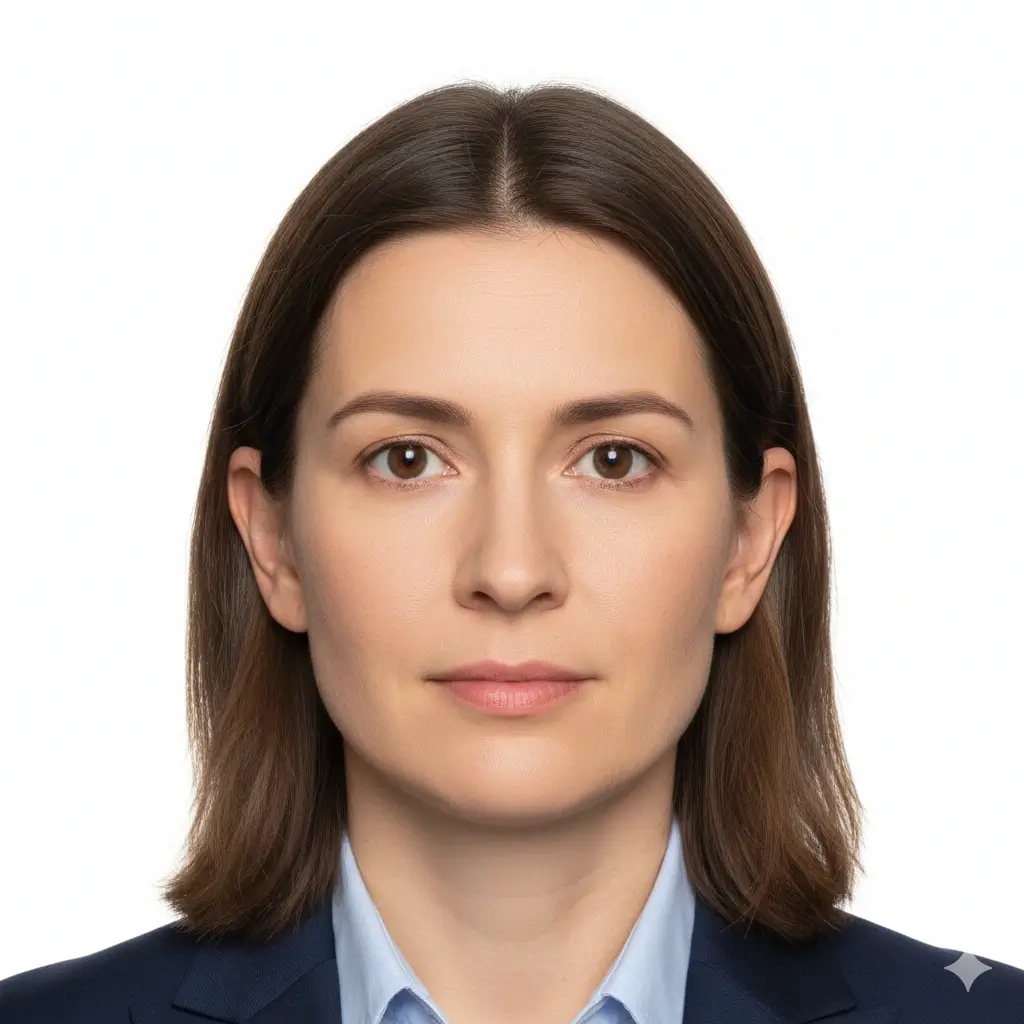
A 35x45 photo is vertical. Cropping should keep the head centered and leave enough margin.
Print Size
1.38 x 1.77 in
The inch equivalent helps when arranging a print sheet or checking a local print service.
Digital Output
PNG, JPG, PDF
Use image output for online forms and PDF output for arranging physical prints.
35x45mm 일반 픽셀 참고
| Use case | Pixel reference | Notes |
|---|---|---|
| 300 DPI 인쇄 | 413 x 531 px | 35 mm x 45 mm 사진 인쇄를 위한 실용적인 참고값입니다. |
| 600 DPI 인쇄 | 827 x 1063 px | 더 선명한 인쇄 작업을 위한 높은 픽셀 밀도입니다. |
| 온라인 업로드 | 포털 기준 따르기 | 일부 신청 포털은 35x45 mm 외에 파일 크기, DPI 또는 정확한 픽셀을 별도로 지정합니다. |
35x45mm는 흔하지만 모든 곳에 적용되지는 않습니다
Many countries and visa centers use 35 x 45 mm, but requirements can change by document type and submission channel. Check the official checklist for head size, background, glasses, retouching, and file-size limits before submitting.
How to Make a 35mm x 45mm Visa Photo Online
Upload a Clear Portrait
Choose a recent, sharp, front-facing image with good lighting and no strong shadows.
Keep 35x45mm Selected
Use the 35x45mm preset or enter 35 mm width and 45 mm height in the custom size fields.
Set a Plain Background
Pick white, light grey, or light blue based on the document checklist you are following.
Download or Print
Save PNG/JPG for online forms or use the PDF option when you need a printable layout.
Download Options for a 35x45 Visa Photo
Choose the format that matches your submission method.
PNG
Best for online upload
Keeps clean edges and works well for most digital application portals.
JPG
Best for smaller files
Useful when the upload portal has strict file-size limits.
Best for printing
Use a physical-size layout when you need printed copies from a 35x45 mm result.
Before printing
Print at actual size; do not let the printer fit or stretch the page.
Use matte or photo paper if the authority requires physical prints.
Measure one printed copy to confirm it is 35 mm wide and 45 mm high.
Recheck background and face-position rules against the official checklist.
확인해야 할 35x45mm 비자 사진 요구사항
This tool helps with crop, background, and output. Acceptance still depends on the official rules for your application.
Face Position
Your head should be centered, clearly visible, and sized according to the authority's checklist.
Lighting
Use even lighting without harsh shadows across the face or background.
Background
Most 35x45 visa photos require a plain white or light background, but exact colors vary.
File Limits
Some portals add pixel, file-size, DPI, or compression limits beyond the physical 35x45 mm size.
Quick pre-submit checklist
Review these points before uploading or printing your generated photo.
- Photo is 35 mm wide and 45 mm high or matches the official custom size.
- Face is front-facing, sharp, and not hidden by hair, glare, or accessories.
- Background is plain and matches the requested color.
- No heavy filters, beauty edits, or face-shape changes are applied.
- File format, file size, and print quality match the application portal.
Always check the official source
Visa and ID photo rules vary by country, embassy, consulate, and online portal. Use this page to prepare the image, then compare the result with the current official checklist.
No approval guarantee
A generated 35x45 photo can still be rejected if expression, head size, clothing, background, file size, or recentness does not match the authority's rules.
이 35x45mm 비자 사진 메이커를 사용하는 이유
35x45 전용 자르기
Built around the 35 mm by 45 mm format
The page keeps the common visa photo size near the top so you do not have to search through unrelated presets.
Background Choices
White, light grey, or light blue
Choose a plain background that matches the document checklist instead of relying on a generic edit.
Multiple Download Formats
PNG, JPG, and PDF
Prepare a digital upload file or a printable layout from the same generated result.
Practical Requirement Notes
Size, pixels, print, and limits
The supporting content explains how 35x45 mm relates to inches, pixels, print size, and official rule checks.
35mm x 45mm 비자 사진 FAQ
Prepare 35x45 Visa Photos With Clear Limits
Secure Upload Flow
Use the same account and upload flow already used across AI ID Photo Maker.
35x45mm Focus
Start from the exact 35 mm by 45 mm size instead of guessing the crop.
Flexible Downloads
Download PNG, JPG, or PDF depending on whether you need upload or print output.
Final Review
Preview the result and compare it with official guidance before you submit.
35mm x 45mm 비자 사진 만들기
선명한 정면 사진을 올리고 35x45mm 크기와 단색 배경을 선택한 뒤 검토 가능한 비자 사진을 다운로드하세요.
Use the common 35 mm by 45 mm visa photo size
Set a plain white, light grey, or light blue background
Download PNG, JPG, or printable PDF output
Review official rules before final submission
Final approval depends on the current rules of the embassy, visa center, passport office, or document provider.