Vietnam Visa Photo Maker
Create a 4x6cm E-Visa Photo Online
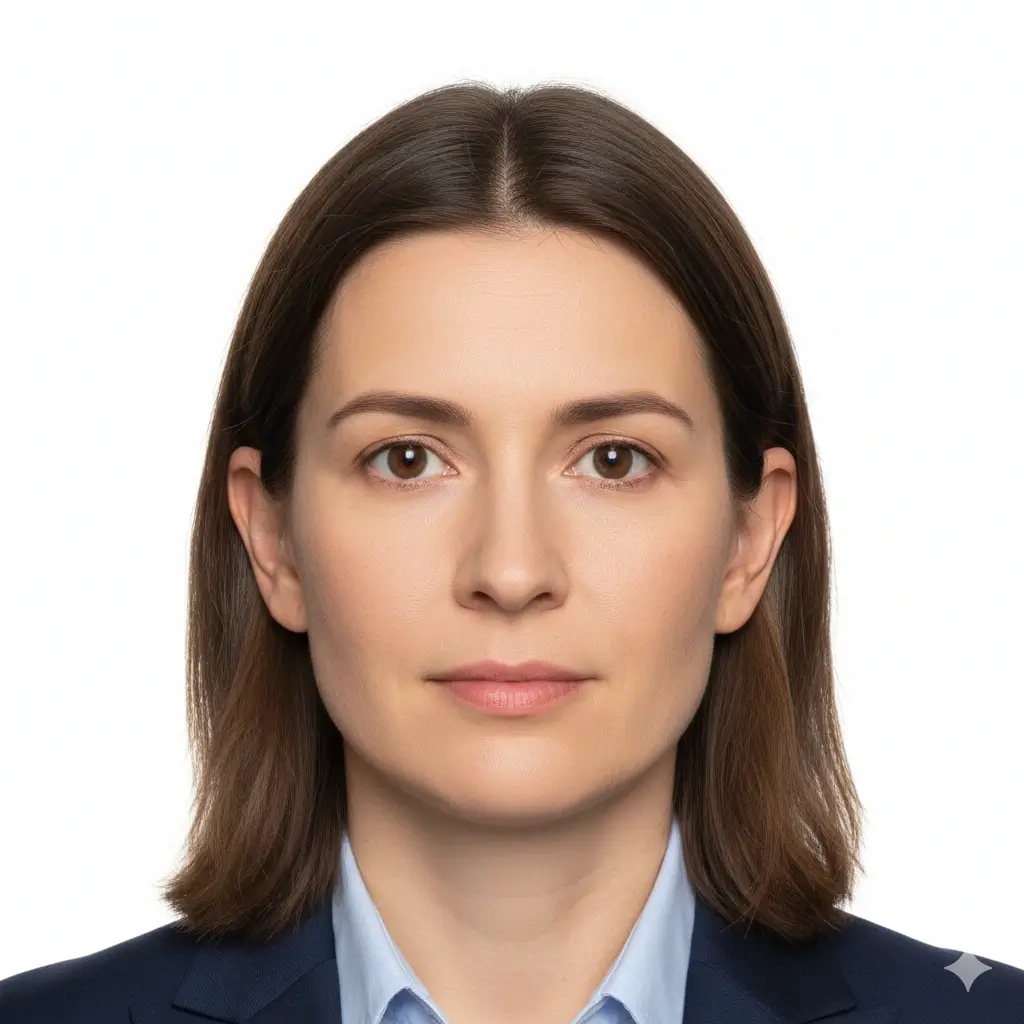
Upload a clear portrait and prepare a Vietnam visa application photo with a 4x6cm preset, plain white or off-white background, face-centered crop, and digital or print-ready output. Use the tool before an e-visa upload, embassy application, or visa-center appointment, then verify the latest instructions from the official Vietnam immigration or consular source for your case.
Vietnam visa photo preset for the common 4x6cm portrait format
White and off-white background options for e-visa and consular workflows
JPG, PNG, and PDF downloads for online upload or printing
Submission checklist without claiming guaranteed approval
Vietnam Visa Photo Maker - Upload, Crop, Download
Upload Your Portrait
Drag and drop or choose a clear front-facing photo.
Supported: JPG, PNG, HEIC, WEBP
Use a recent photo with even lighting, open eyes, and your full face visible.
Uploaded photo
Select Vietnam Visa Photo Settings
Choose the Vietnam visa preset and keep the output close to e-visa and consular photo expectations.

Vietnam Visa
40x60mm | White

General Visa
35x45mm | White
2x2 Visa
51x51mm | White

China Visa
33x48mm | White
You have 0 credits remaining Sign in to try the Vietnam visa photo maker
2 credits per generated photo
Your Result
Your Vietnam visa photo preview will appear here
Upload a photo and choose the Vietnam visa preset to begin.
Processing Your Photo
This usually takes 30-60 seconds
Analyzing photo...
Tips for a Better Vietnam Visa Photo
- Face the camera directly with a neutral expression and open eyes.
- Use a plain white or off-white background with no visible shadows.
- Avoid hats, tinted glasses, heavy filters, uniforms, and busy backgrounds.
- Do not retouch facial features for official visa submission.
Make the Photo Before Your Vietnam E-Visa Upload
Prepare the crop, size, background, and file format before you upload to an online visa form or print a physical copy.
4x6cm Vietnam Visa Size
Start from a Vietnam visa photo preset instead of adapting a generic passport photo that may not match your application workflow.
Use the 4x6cm presetE-Visa Upload Ready
Download JPG or PNG output for online application workflows, then check the file-size, pixel, and crop instructions shown by your visa form.
Prepare upload filePrint-Ready Copy
Use PDF or image output when an embassy, consulate, agency, or visa center asks for printed photos, and print at actual size without page scaling.
Check print notesPhoto rules and upload checks can vary by application channel, nationality, embassy, consulate, and visa type. Always compare the final image with the latest official instructions before submission.
Vietnam Visa Photo Size and Related Presets
Use the Vietnam visa preset for the common 4x6cm portrait, or switch only when the office handling your application asks for a different format.
| Preset | Common dimensions | Common use | Typical background |
|---|---|---|---|
Vietnam Visa PhotoPrimary preset for Vietnam e-visa and visa preparation |
4x6cm / 40x60mm | Vietnam e-visa, embassy, or visa-center photo | White or off-white |
Digital Upload FileFor online visa forms |
Follow form pixel/file-size limits | E-visa upload and online review | Plain light background |
Printed Visa PhotoFor appointments or agency packets |
4x6cm at actual print size | Embassy, consulate, or visa-center appointment | White or off-white |
Other Visa PhotoUse only if instructions differ |
35x45mm, 2x2 inch, or local size | Non-Vietnam visa, passport, or local ID needs | As required by the reviewer |
Check the exact reviewing office
The 4x6cm portrait is a common Vietnam visa photo preparation size, but online forms and local offices can add pixel, file-size, recency, or print-quality rules. Follow the instructions shown for your application channel.
How to Make a Vietnam Visa Photo Online
Upload a Recent Portrait
Choose a sharp front-facing photo with even light, no strong shadows, and your full head and shoulders visible.
Pick the Vietnam Visa Preset
Select the Vietnam visa option and use the 4x6cm size when your application asks for a standard visa portrait.
Use a Plain Background
Choose white or off-white, keep clothing visible, and avoid background texture, objects, or color casts.
Download and Verify
Download JPG, PNG, or PDF, then compare the result with the latest immigration, embassy, consulate, or visa-center instructions.
Vietnam Visa Photo Output Options
Prepare a digital upload file or a print-ready photo depending on the application workflow you are using.
JPG or PNG for Upload
Online e-visa forms
Use a digital image when the application system asks you to upload a portrait photo. Check the form's current pixel and file-size limits before submitting.
4x6cm Single Photo
Printed visa photos
Prepare a single image at the common Vietnam visa photo size for printing or appointment preparation.
PDF Print Layout
Local printing
Use PDF output when you need to print a physical copy, and disable fit-to-page scaling so the photo keeps its intended size.
Before You Upload or Print
Compare the final image with the latest official Vietnam visa or immigration instructions.
Use a recent photo that clearly matches your current appearance.
Keep the background plain and light, with no visible shadows or objects.
For printed photos, use actual-size printing and photo-quality paper when required.
Vietnam Visa Photo Requirements to Check
Use this checklist before uploading or printing your Vietnam visa photo. The final reviewer, not the tool, decides whether the image is accepted.
4x6cm Portrait Format
Vietnam visa photo preparation commonly uses a 4x6cm portrait. Digital forms may also specify pixels, file type, and file size.
Centered Face
Face the camera directly, keep eyes open, and make sure your face is sharp, evenly lit, and easy to recognize.
Plain Light Background
Use a white or off-white background without shadows, patterns, furniture, or other people.
No Identity-Changing Edits
Crop and background cleanup are useful, but avoid retouching facial features, age appearance, or skin texture.
Vietnam Visa Photo Checklist
Review these points before you upload to an online form or bring printed photos to an appointment.
- Use a recent color photo that shows your natural appearance.
- Keep your head straight, eyes open, mouth closed, and expression neutral.
- Avoid hats, head coverings not worn for religious reasons, tinted glasses, and heavy reflections.
- Make sure the background is plain white or off-white and evenly lit.
- Verify the exact pixel, file-size, and printed-photo rules for your application channel.
The visa office makes the final decision
This Vietnam visa photo maker helps prepare crop, background, and download format. Acceptance depends on the immigration system, embassy, consulate, visa center, or agency reviewing your photo.
Official instructions can change
Before submitting, check the latest photo rules on the official Vietnam e-visa site, embassy, consulate, visa center, or application page for your jurisdiction.
Why Use This Vietnam Visa Photo Maker?
Focused on Vietnam Visa Photos
A narrow workflow for one visa task
The page keeps 4x6cm photo sizing, white background guidance, upload notes, and print reminders together so you do not have to adapt a generic passport tool.
Digital and Print Outputs
Use the file where your application needs it
Download JPG or PNG for online forms, or use PDF/image output when an embassy, consulate, or visa center requires printed photos.
Plain Background Controls
White and off-white options
Prepare a clean background that fits typical visa photo expectations while avoiding visual clutter or heavy edits.
Practical Submission Checks
Size, crop, face visibility, and file format
The supporting content explains what to check before upload or printing, including recency, expression, background, and application-channel rules.
Identity-Safe Editing
Prepare the photo without changing who you are
Use natural cleanup for crop, background, and exposure, and avoid AI edits that alter facial features for official submission.
Related ID Photo Tools
Move to passport or ID workflows when needed
If your document is not a Vietnam visa, the page links to broader passport, ID, China visa, and driver license photo tools.
Related Visa and ID Photo Tools
Use the Vietnam visa photo maker for Vietnam visa applications, or switch to a broader tool when your document type is different.
Related Photo Tools
These pages cover adjacent photo workflows without mixing them into the Vietnam visa page.
Official Requirement References
Use official sources for final photo acceptance rules because visa requirements and upload checks can change.
For any conflict between this page and official instructions, follow the official immigration, embassy, consulate, visa center, or application-system guidance.
Vietnam Visa Photo Maker FAQ
Privacy and Visa Photo Review Reminders
Secure Upload Flow
Use a protected upload workflow for personal visa-style photos and avoid sharing extra documents.
Identity-Safe Editing
Prepare crop, background, and size without relying on changes that alter your face.
Requirement Checklist
Review size, background, expression, lighting, and upload or print format before submitting.
Reviewer Decides
Final acceptance always depends on the immigration system, visa office, or application channel.
Create a Vietnam Visa Photo Online
Upload a portrait, choose the Vietnam visa preset, prepare a plain background, and download a digital or print-ready photo.
4x6cm Vietnam visa photo preset
White and off-white background options
JPG, PNG, and PDF download formats
Practical checks for e-visa, embassy, consulate, and visa-center workflows
Check the latest instructions from the official Vietnam e-visa portal, immigration authority, embassy, consulate, or visa center before submission.