
ID Card Photo Size
Pixels & Online Maker
Compare ID card photo dimensions in inches, millimeters, and pixels, then upload a portrait and make a student ID, employee badge, or custom form photo.
Compare common ID card photo sizes in inches, millimeters, and pixels
Prepare square, 3:4, 2x2 inch, 35x45mm, and custom ID photo crops
Choose white, light gray, light blue, blue, or red backgrounds when allowed
Download a single upload file or a print-ready ID photo layout
ID Photo Maker Online: Upload, Crop, and Download
Upload Your Photo
Drag and drop or click to upload a clear front-facing portrait.
Supported: JPG, PNG, HEIC, WEBP
Use a recent photo with even lighting and your full face visible.
Uploaded photo
Select ID Photo Type
Choose the ID photo preset that matches your document, school, workplace, or online form.

Passport
2x2 inch (51x51mm) | White

Visa Photo
35x45mm or 2x2 inch | White

Student ID
Head and shoulders | Plain

Driver License
Full face visible | Plain

Resume Photo
Professional headshot | Light

Green Card
2x2 inch (51x51mm) | White

35x45mm ID
35x45mm | Light gray
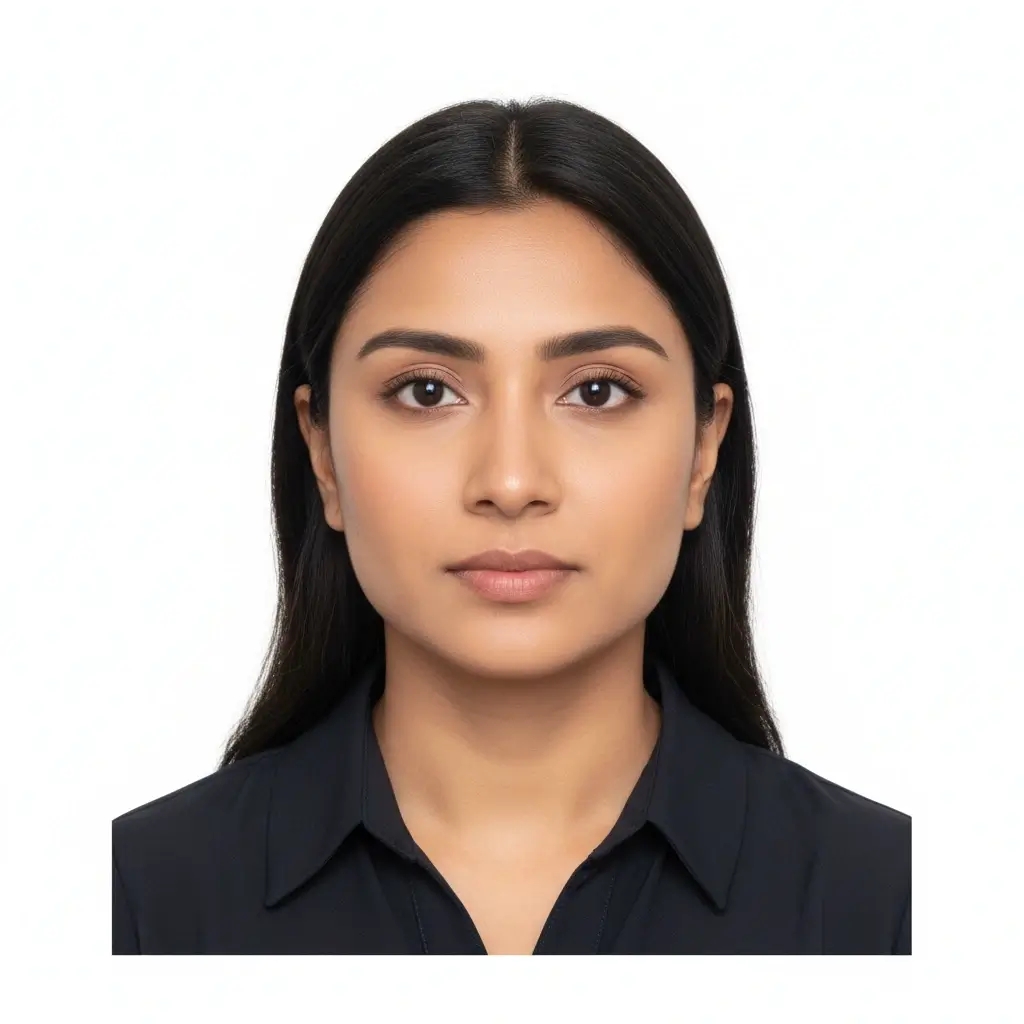
50x70mm ID
50x70mm | White
You have 0 credits remaining Sign in to try the ID photo maker
2 credits per generated photo
Your Result
Your ID photo preview will appear here
Upload a photo and choose a preset to begin.
Processing Your Photo
This usually takes 30-60 seconds.
Analyzing photo...
Tips for a Better ID Photo
- Face the camera directly with your eyes open.
- Use soft, even lighting without strong shadows.
- Keep hats, tinted glasses, filters, and busy backgrounds out of the frame.
- Do not change facial features for official documents.
ID Card Photo Size: Common Dimensions and Pixels
There is no universal ID card photo size. Use these examples for student IDs, employee badges, and forms, then follow the exact issuer rule.
| Use case | Common size | Useful pixel target | Typical background | Best for |
|---|---|---|---|---|
| Student ID or campus card | Issuer-specific, often square or 3:4 | 300x300, 400x500, or portal requirement | Plain white, gray, or school-specified | School portals, registration systems, campus cards |
| Employee badge photo | Square, 3:4, or head-and-shoulders crop | 400x400, 480x600, or HR upload rule | Plain light background | Work badges, directories, HR systems |
| US-style official photo | 2x2 inch / 51x51mm | 600x600 pixels or higher square file | White or off-white | Passport-style, green card, and selected visa uploads |
| Visa or local ID photo | 35x45mm, 33x48mm, 50x70mm, or local rule | Use the exact pixel or print size listed by the issuer | White, light gray, blue, or required color | Embassy, consulate, local ID, and application portals |
| Custom online form | Exact width, height, file size, or aspect ratio | Match the upload message before downloading | Whatever the form requests | Memberships, exams, visitor badges, internal systems |
ID Card Photo Size Examples
Start with the closest preset, then adjust the crop and background for the exact system that will receive the photo.
Student ID Upload
Useful when a campus portal asks for a simple face photo instead of a passport photo.
Example input
Recent selfie, plain wall, portal asks for square JPG under 2 MB.
Expected output
Centered square ID photo with clean light background and enough head-and-shoulder space.
Employee Badge Photo
Prepare a consistent workplace portrait for HR, access control, or directory systems.
Example input
Front-facing photo, company prefers 3:4 crop and neutral background.
Expected output
Vertical badge-style image with face centered, plain background, and no heavy retouching.
Custom Form Upload
When the form lists width, height, file size, or background color, use those values first.
Example input
Application says 600x600 pixels, white background, JPG or PNG.
Expected output
Square 600x600-style file ready for upload after final issuer review.
ID Card Photo Requirements to Check
Most ID card photos are reviewed for identity clarity, crop, background, and file format. Check these items before submitting.
Face is easy to recognize
Use a recent front-facing photo with open eyes, neutral expression when required, and no strong shadows.
Size matches the issuer
Match the listed inches, millimeters, pixels, aspect ratio, and file-size limit instead of guessing.
Background is acceptable
Use a plain white or light background unless the school, employer, or agency allows another color.
Edits stay identity-safe
Crop and background cleanup are useful. Avoid changes that alter facial features for official or workplace IDs.
Before You Download
Run through this checklist before using the generated ID card photo.
- Confirm whether the reviewer wants a digital file, printed photo, or both.
- Check the required size, pixels, aspect ratio, file type, and maximum file size.
- Keep the head centered and leave enough shoulder space for badge layouts.
- Avoid hats, sunglasses, filters, busy backgrounds, and wide-angle distortion.
- Use a plain background that matches the instruction exactly.
- Download JPG, PNG, or PDF only when that format is accepted.
- Review the file on the final upload page before submitting.
ID card systems do not share one universal size
Schools, employers, agencies, and membership systems can all set their own photo rules. This page helps you prepare the file, but the reviewing organization decides whether it is accepted.
Official document caution
For passports, visas, green cards, licenses, and other official IDs, verify the latest official photo instructions and avoid retouching that changes your appearance.
Related ID Photo Tools and References
Use a focused tool when the document type is known, or check official references when the photo will be used for a government document.
Related tools
Open a narrower workflow if you already know the target document or size.
Official references for stricter photos
These references help when your ID card photo is also used for a passport, immigration, or official application.
Use official rules whenever the ID card photo is part of a government, immigration, or travel application.
ID Card Photo Size FAQ
Privacy and Review Reminders
Secure Upload Flow
Use a protected upload flow for personal ID-style photos and avoid sharing unnecessary documents.
Identity-Safe Editing
Prepare crop, background, and size without relying on edits that change who you are.
Requirement Checklist
Review face visibility, background, lighting, and output format before downloading.
Reviewer Decides
Final acceptance always depends on the agency, school, employer, or organization.
Make an ID Card Photo Online
Upload a portrait, choose an ID photo preset or custom size, set a plain background, and download a clean file for your card or form.
Works for student ID, employee badge, membership, visitor, and application photos
Supports square, 3:4, 2x2 inch, 35x45mm, and custom-style crops
Includes practical reminders for pixels, background, file type, and issuer review
Final acceptance depends on the school, employer, agency, or upload system reviewing the ID card photo.